

Aortic Valve Area (Continuity) Calculator
Estimate effective valve area from echocardiography measurements.
Your echo measurements
Effective aortic valve area
Continuity equation estimate
Area comparison
Schematic area comparison · not anatomical imaging.
How is this calculated?
Measurement guide
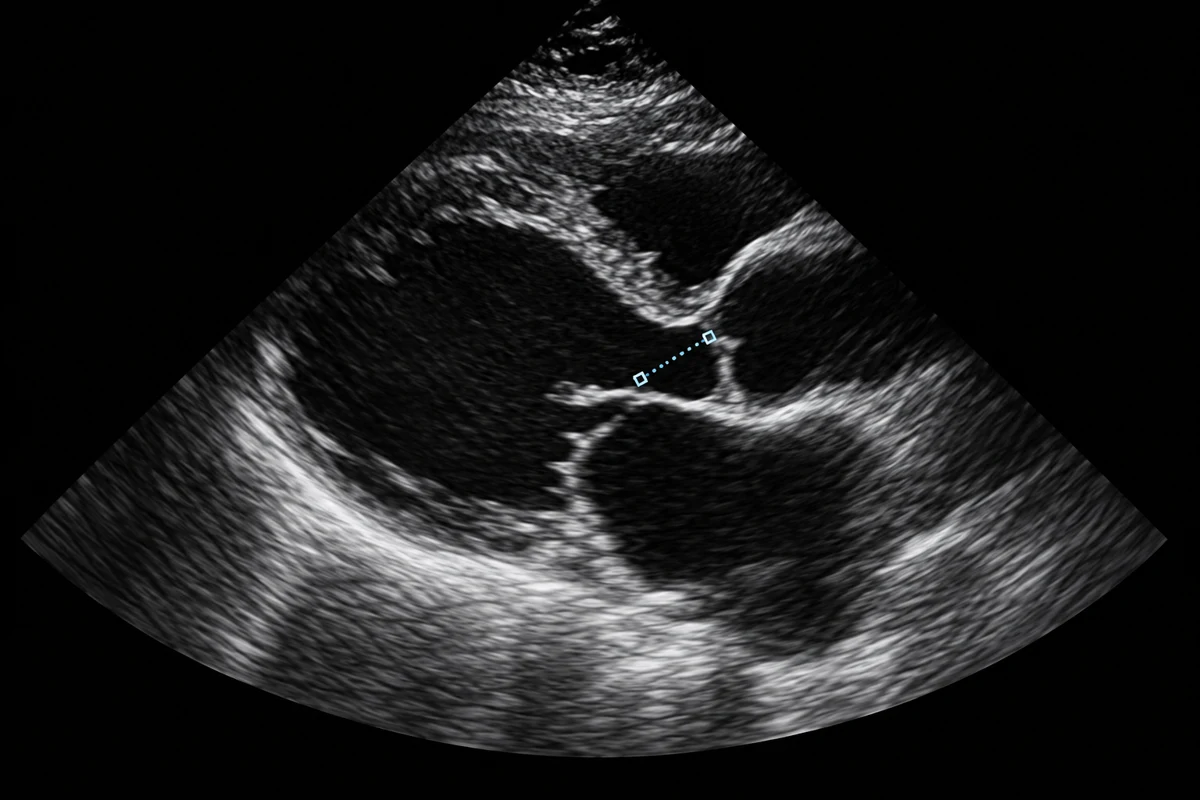
LVOT diameter
Confirm the diameter and unit.
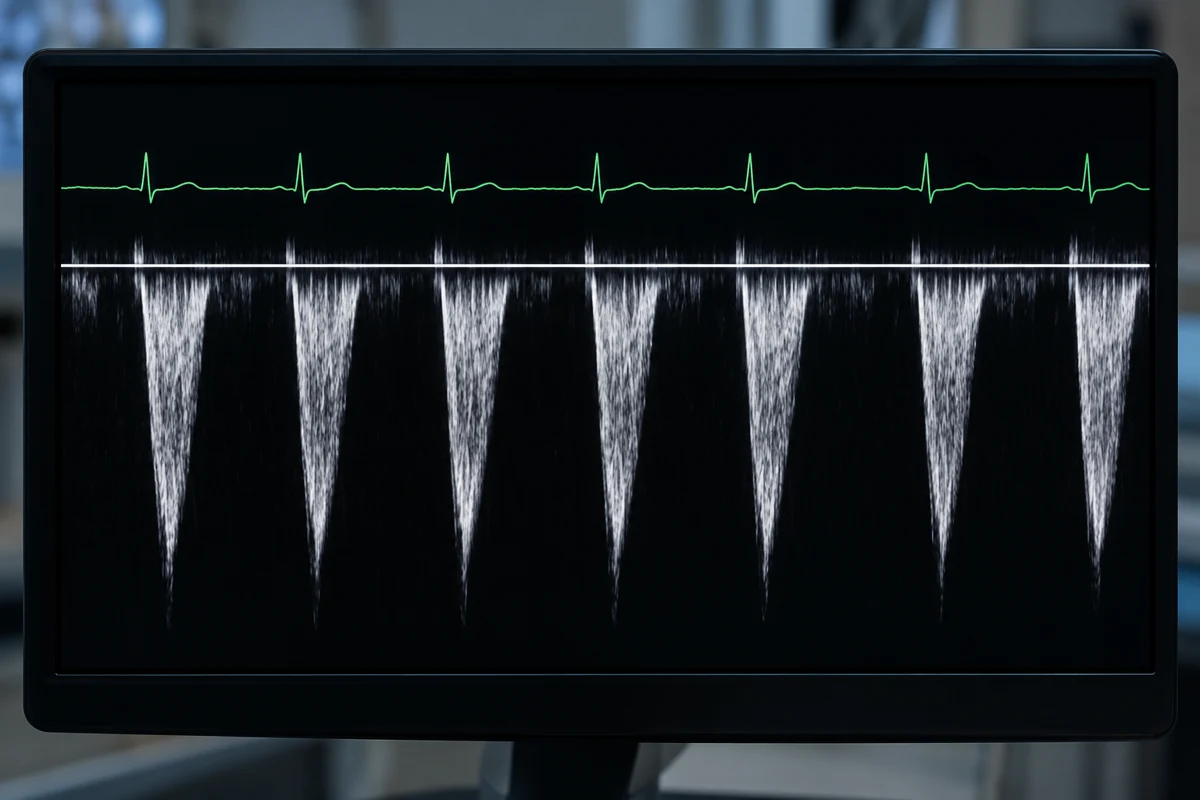
LVOT VTI
Use the LVOT Doppler trace.
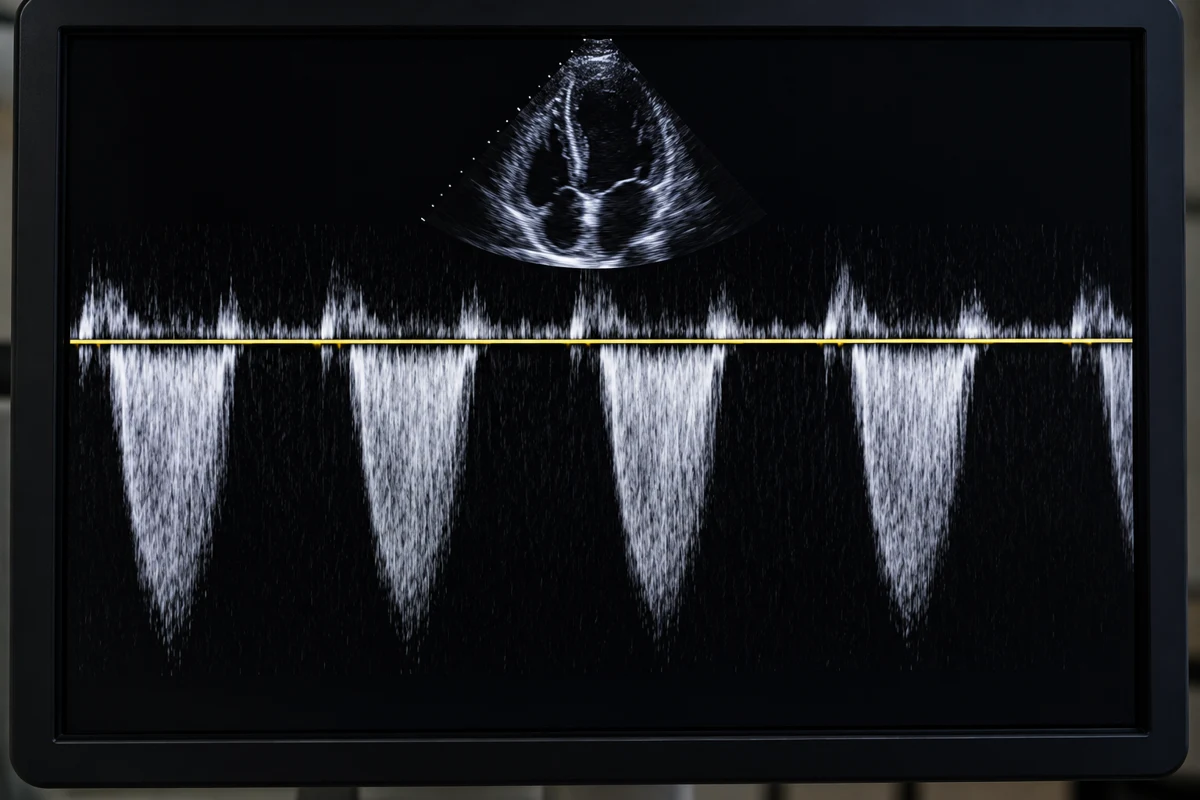
Aortic valve VTI
Use the aortic jet trace.
Calculation & assumptions
AVA = π × (D2)2 × VTILVOTVTIAV
Indexed AVA = AVABSA
The equation assumes a circular LVOT. Indexed area is optional and uses BSA in m². Results require clinical interpretation.
Frequently asked questions
What does the Aortic Valve Area (Continuity) calculate?
It estimates effective aortic valve area from the LVOT diameter and the LVOT-to-aortic VTI ratio. The optional indexed result divides the unindexed area by body surface area.
Which values should I enter?
Use the LVOT diameter in the selected cm or mm unit, LVOT VTI in cm and aortic valve VTI in cm from the same examination. Indexed mode additionally requires a measured or calculated BSA in m².
What formula does this calculator use?
AVA = π × (LVOT diameter in cm / 2)² × LVOT VTI / aortic valve VTI. Indexed AVA = AVA / BSA. The LVOT is assumed to be circular; calculation uses full intermediate precision.
Why might my result differ from another source?
Differences in diameter, Doppler alignment, tracing, flow conditions, examination timing and rounding can change the estimate. Diameter is squared, so small diameter errors have a larger effect on area.
Does the result update automatically?
Yes. Inputs, diameter units and calculation mode update results, circle areas and equations immediately. No Apply or Calculate button is required.
More questions (5)
Does changing cm to mm change the result?
No. The diameter value is converted while preserving its physical size: 2 cm equals 20 mm. VTI fields remain in cm.
When is BSA required?
Only in Indexed area mode. BSA divides the full-precision unindexed valve area; it does not alter the circle comparison. The clinical usefulness of indexing depends on context, including body size and obesity.
What do the two circles represent?
They compare the calculated LVOT cross-sectional area and the unindexed effective valve area on one area scale. Circle diameter is proportional to the square root of area. They are a schematic, not anatomical imaging.
Can this result grade aortic stenosis by itself?
No. A full echocardiographic and clinical assessment is needed. This arithmetic tool does not assign a severity category or recommend treatment.
What happens with invalid or zero inputs?
Missing or invalid active inputs clear all dynamic results and disable exports. Diameter, aortic VTI and active BSA must be positive. Zero LVOT VTI is mathematically allowed and returns zero area. Software limits are not clinical reference ranges.
Sources & References
 American Society of EchocardiographyAmerican Society of EchocardiographyContinuity equation guidance.
 European Society of CardiologyEuropean Society of CardiologyMeasurement and interpretation context.
References provide context, not endorsement.
Page information
Updated: October 27, 2026